Football analysis, in the browser
Match analysis that never leaves your laptop
Three tools for turning a match into something worth reading: cut and telestrate the clips, draw the shape, and take notes while the game is on. No upload, no account, no install.
Best on a desktop browser. Chrome or Edge for MP4 export.
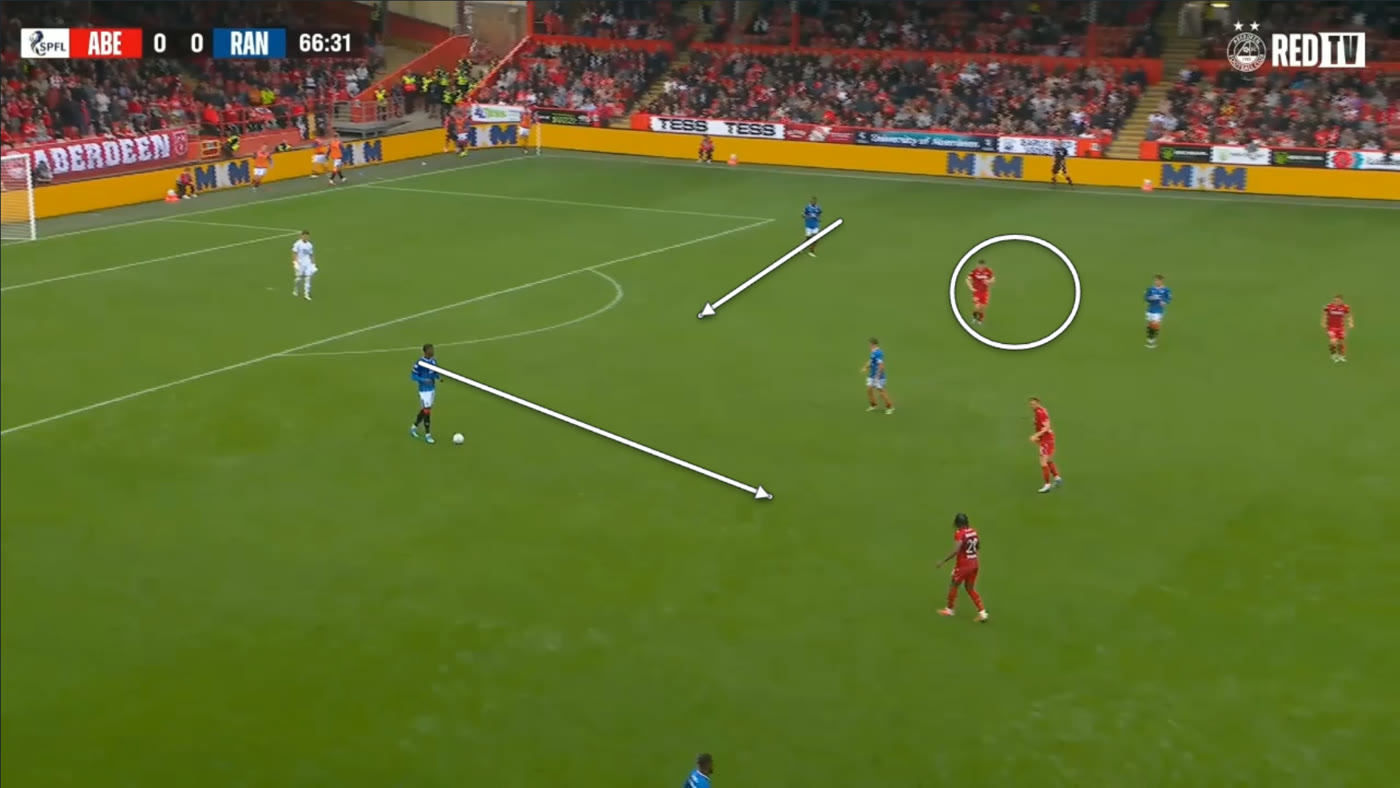
Studio
Load a match recording, sync it to your event data, and cut the moments that matter. Draw on the frame and export a broadcast-style clip.
- Arrows, rings, spotlights and captions
- Filter by player and event, jump straight to it
- Export one clip, or a whole filter as one reel
- Present mode for talking over the footage
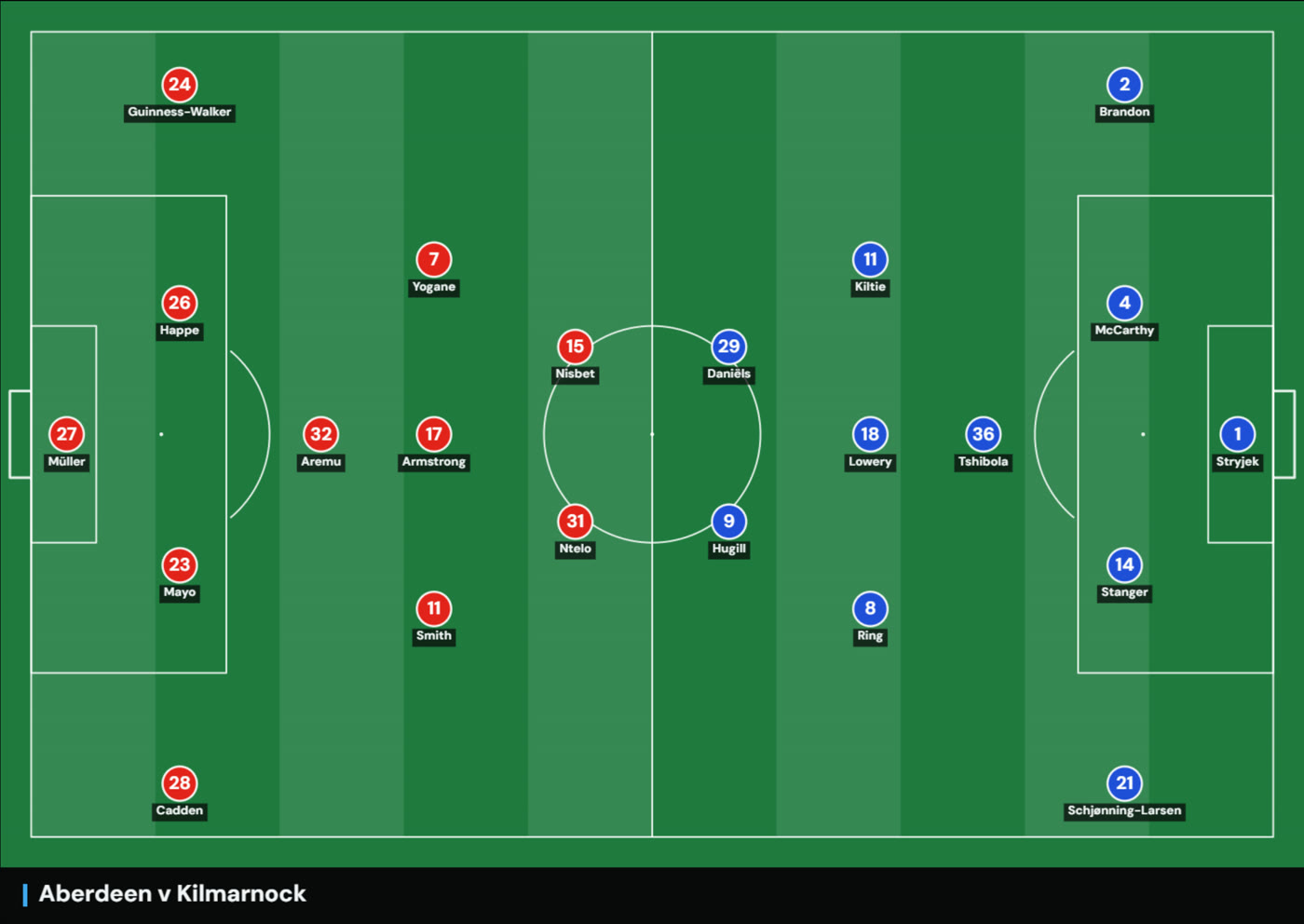
Board
A tactics board for the diagrams in your match report. Import the lineups and both starting elevens land where they lined up.
- Formations and set-piece shapes in a click
- Arrows, runs, curves and zones
- Export a PNG, or animate it across scenes
- Green pitch or white for print
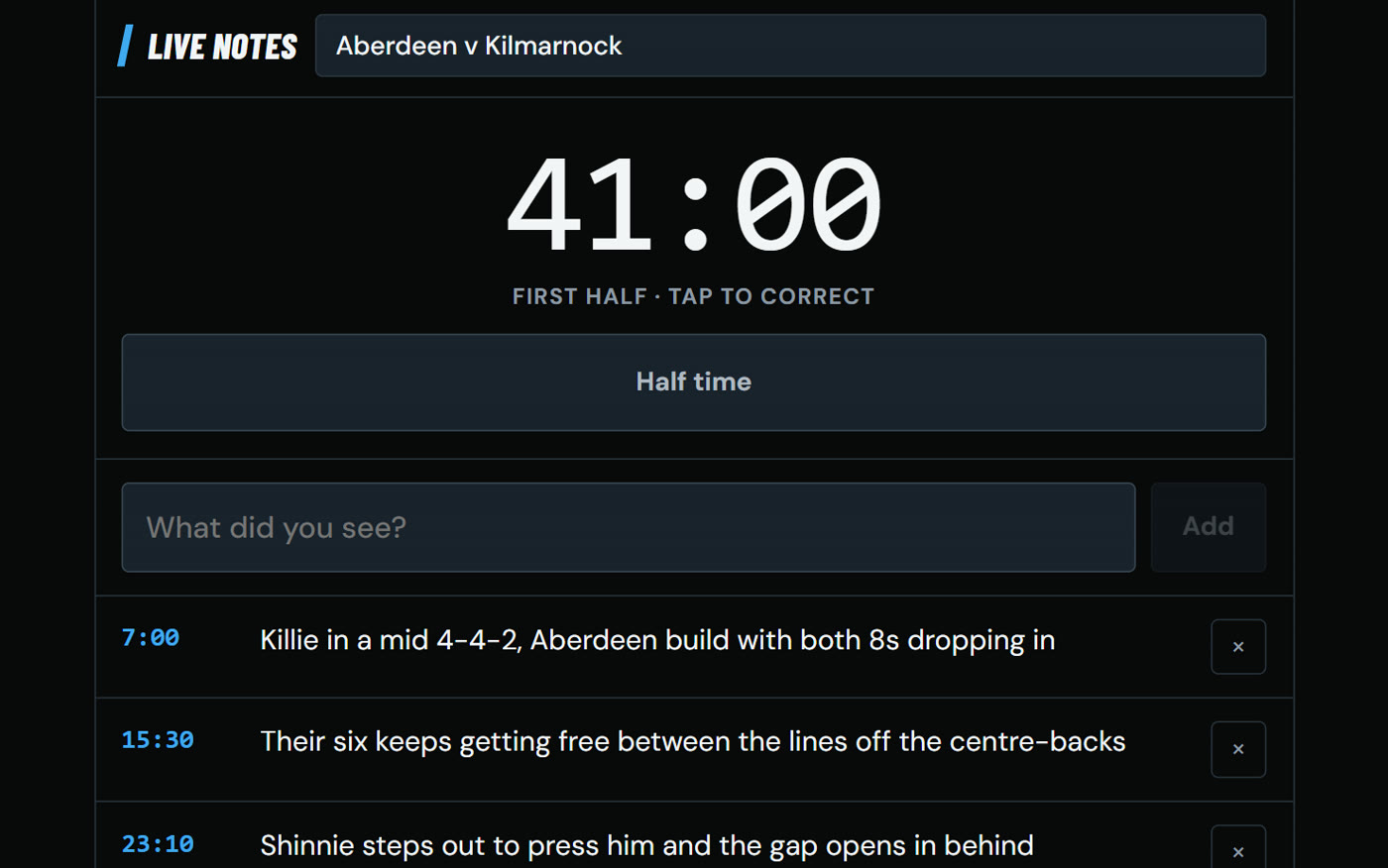
Notes
For watching the game before you have the video. Press kick off and every note you type is stamped with the match minute.
- Runs the match clock for you
- Handles half time and stoppages
- Works on your phone
- Pastes straight into Studio afterwards
Nothing leaves this device.
No upload, no account, no tracking, no third-party requests. Your match video, your event data and your notes stay in the browser on your own computer — which you can check for yourself in the network tab, because there is nothing in it.